Welcome!
|
TOUR Introduction
No idea where you are? This small tour will explain this. Take a minute and read on.
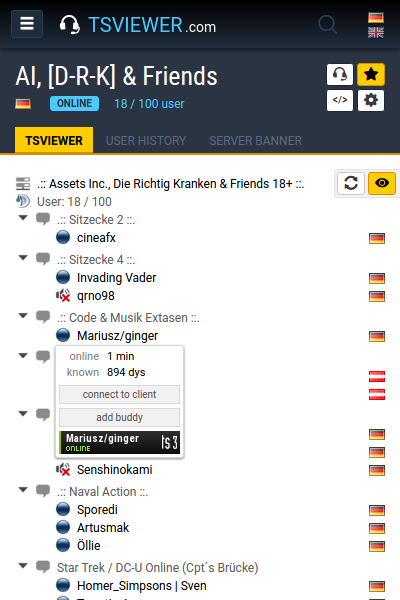
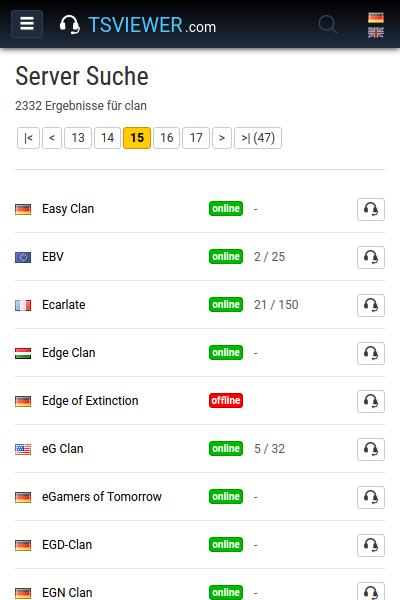
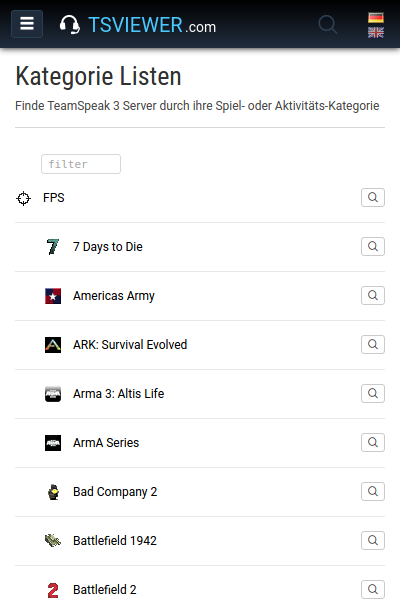
TSViewer.com is a big TeamSpeak Server Database with many functions. You can search for servers and look into them. You can build the TSViewer easily into your site. You have many different dynamic Server Banners. You can search for users that are currently online and were online in the last seven days, worldwide! For each server you have a User History, Server Activity Overview, and more. The servers are categorized game- and nongamespecific. For example eSports games like the Counter-Strike series, MMORPGs like World of Warcraft, Strategygames like Warcraft 3, Flight Simulations, Racing and many more. Click on the next points and find out more ... Next point > TOUR The User and server search
All registered servers get scanned in 5-10 minutes intervals, 24 hours a day, 365 days in year. Important server informatios and the people which are located on this server are being written into the database. This make for example the user search possible.
Where is a good friend of you at the moment or when was he online the last time? When he was on which server? The usersearch can say this pretty good. Clan name exists but not the TeamSpeak IP? TeamSpeak IP available but not the password? TeamSpeak IP is not available but the homepage URL? Game Server IP or homepage URL available but nothing else? In these and in many other cases, the serversearch will help through their extensive search capabilities very well. Next point > TOUR TSViewer on your homepage
The TSViewer is not only available from this site, here comes now the mostly used feature into play. The installation of TSViewer into your own Internet page.
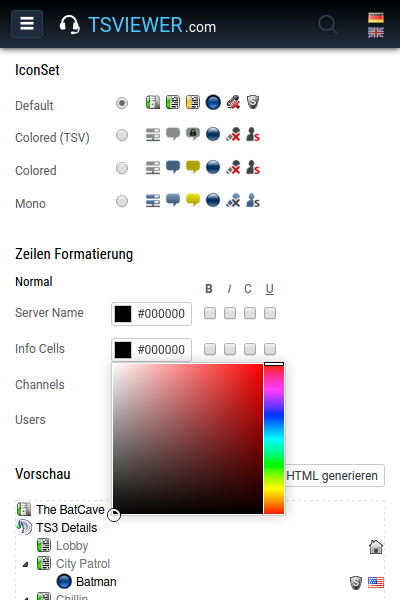
There are many options available which allows you to change the look and feel from it to adapt it perfectly to your own page as an page extension without big html or php knowledge. Just chooose from the colors, font options, display and graphics details, afterwards generate the code and get it into your site. Easy goin. However, if you are not so good with PHP, HTML and all the other stuff then there are some tutorials for a few frequently used content management systems. All of this is accessible from code generator. Next point > TOUR User History and the graphs
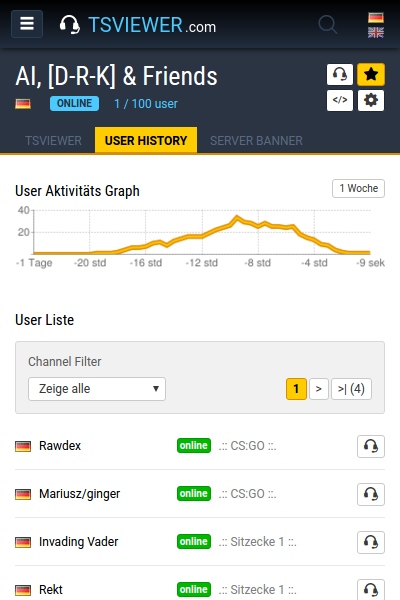
The User History shows who was in the last seven days on an TeamSpeak server with indication of Nickname, Logintime, Idletime, Channel and time of occurrence. On top of this there is a server activity graph available that displays the server usage of the last 24 hours.
These data come from the global server scan which starts every 5-10 minutes. Next point > TOUR Server Banners
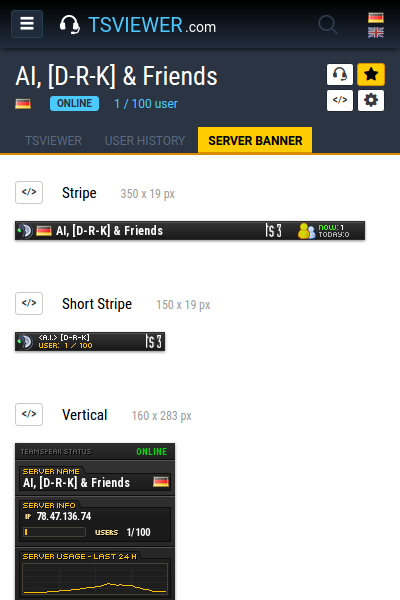
The Server Banners are database-supported dynamically live generated pictures. Just because it are pictures you can integrate them almost everywhere. Ideal as forum signature, page extension, alternative TSViewer or everything else.
There are many different Server Banner designs and sizes placed to your disposal. On the left you see a few examples. Next point > TOUR User Banners
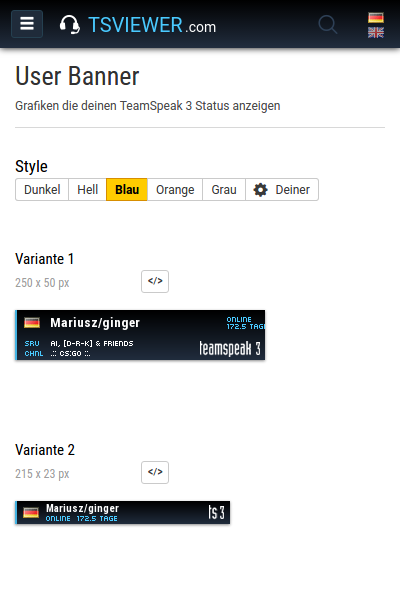
The User Banners do display on which TS server you are currently online with information of server name, channel name, login- and idletime. Should you have gone offline, then this is being displayed in the banner with information of the last server and time of the last contact.
If somebody clicks on a banner, you get localised and the visitor is being rerouted to the correct TeamSpeak server monitor on TSViewer.com where he can see you live with all other server data. If you have gone offline it does route to the User History of the last TS server you were on. A perfect thing for every forum signature or homepage. Next point > TOUR TCP Query Port Finder
Haven't a clue what your servers Query port is? No problem! Therefore Query Port Finder has been programmed.
It enables you to get the TeamSpeak servers Query Port as long as you have access to the servers webinterface and WebPost is enabled. You dont need any longer to contact the servers provider. Next point > TOUR Personal Buddies System
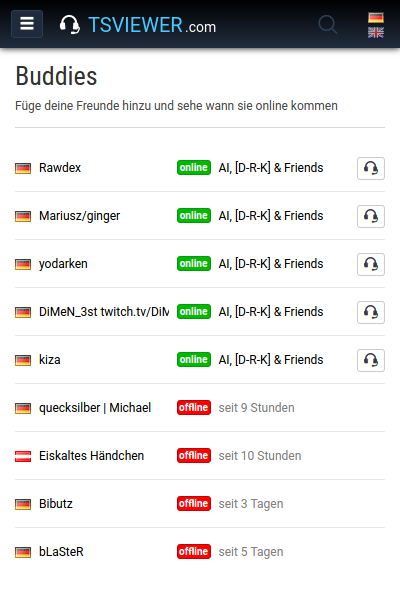
Keep track of your friends with the Buddy System. Instead of having to execute several troublesome search inquiries manually, you can overlook here many persons at one single point.
Just add people to your buddy list over the little buttons that are easy to find everywhere on the site. Next point > TOUR Personal Server Favorites
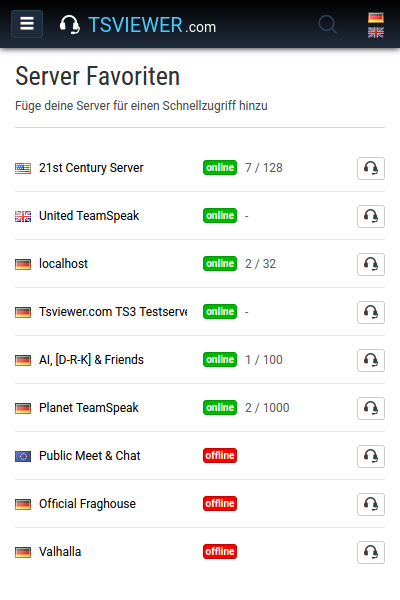
There are many of your favorite servers registered here on the TSViewer.com but you are sick of to navigate through the lists all the time to find them? Then add the server to your favorites.
Your favorite servers will then be displayed left in the navigation. So they all will be easy to reach and you have an instant overview of their status. Nice tooltips give you more information when you drive over them. Next point > TOUR Server Registration
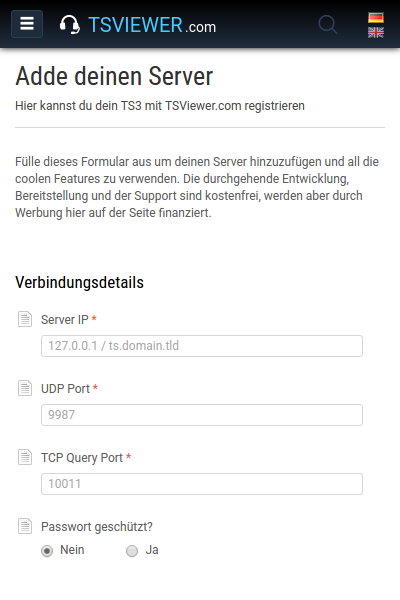
In order to use all these features the server must be registered through the registration form. All this is, of course, free, and do not need personal information except for the email address, thats required to have somehow an opportunity to get contact. Once the server is registered you have to wait a little until the registration is verified and activated after what an e-mail is sent with all the important information and links to all mentioned features so far. Next - Server Registration
|
|
Latest news
TitleDate
14.06.2008 JavaScript integration & new custo...
31.03.2008 User TeamSpeak Status Banners
26.01.2008 On a visit at GIGA eSports
30.12.2007 GIGA Homepage Award 2007 Finale
17.12.2007
Latest changes and additions
|
Latest server entries
Thu, 20:54
Thu, 20:39
Thu, 20:34
Thu, 20:33
Thu, 20:29
|
Latest News
| JavaScript integration & new customization options at 14.06.2008 | 30 Comments |


TSViewer.com got once again an major update. Some improvements have been made longer ago, but I have unfortunately missed to inform you. Now its time to do it.
There are many important new options at the Code Generator for customization of the TSViewer tree available and a new integration method is now also added.
The new integration method
It is available since a few days and allows you to integrate the TSViewer tree in your pages with JavaScript! This has the great advantage that the height is "dynamic". Dynamic means that the TSViewer automatically extends or shortens depending on how many people/channels are on the TeamSpeak server. This function was previously only reserved for the PHP include method, that could be only used by few people (Technical background: Usual Webspace security restrictions forbid an Include from other domains).
The integration of the TSViewer with JavaScript is as simple as with the HTML Iframe method and can, in contrast to PHP Include, always be used. That means you have all the advantages of HTML Iframe and PHP Include together; a variable height (and width if desired) and the very simple and always possible integration. I am glad to be able to offer this finally, because a fixed height can be quite disturbing for a TSViewer.
The new customization options
The new options for customization in the Code Generator are available since one or two months, but they are important and are therefore now also be mentioned.
Here's the short summary:
- 4 new icon sets / skins:
TeamSpeak 2 Classic, TSV Mini, TSV Shield, TSV Smile - Channel flags switchable
- User flags switchable and configurable (as text or graphics)
- New color picker for convenient choice of color
- Determine text color and attributes (Bold, italic, caps, underscores) separately for server name, server informations, channels and users subdivided for the normal and the mouseover state
The last point has a lot to offer. You can color the TSViewer well between the different informations and provide, because of that, an better overview, as well as with different mouseover states you can pimp it to feel more interactive. It is not easy to explain, so just take a look at the Code Generator.
The tooltip
Another improvement is a new tooltip in the TSViewer tree. It shows detailed informations about an person: Ping, packetloss, status, online time, idle time and the flags with full name. I have left off the login name because of security (this is usually publicly available). By the way, the users are linked with the new User Banners, these were presented in the last news in detail and will soon be expanded.
That's all, I hope you like the new possibilities. Test it and please leave some feedback!
Browser Addon
| TSViewer Firefox Search Plugin | 10 Comments |
| Brand new and since evenly available you get the Nothing further will be installed on your system. Its simply only a searchplugin for the Firefox Browser, just as the Google search plugin for Firefox. Install the TSViewer Firefox searchplugin | Searchplugin Preview:![]() |


News