Extended TeamSpeak Viewer with features like user search, server stats & graphs, server banners, user banners and much more... more than 19.000 TeamSpeak servers are already registered. Growing daily...


Date: 09 May 2008
Time:
Timezone: Set-Up
Servers: 19268
   online: 16441
   offline: 2827
Users on TeamSpeak:
   61416 online now


TOUR   Introduction
No idea where you are? This small tour will explain this. Take a minute and read on.

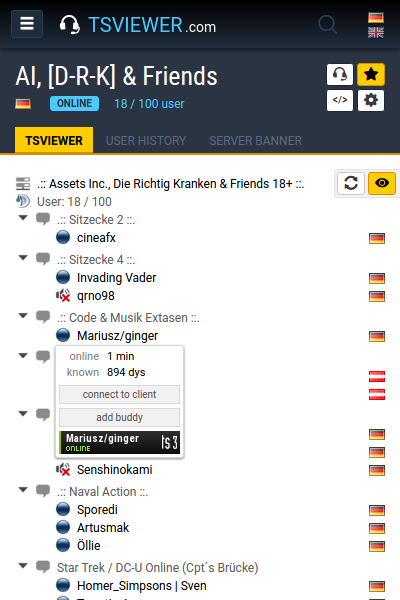
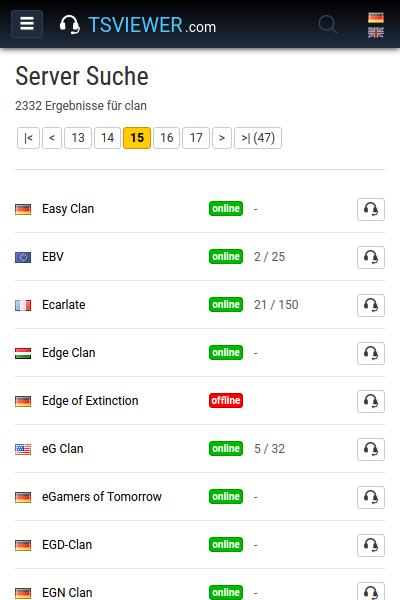
TSViewer.com is a big TeamSpeak Server Database with many functions. You can search for servers and look into them. You can build the TSViewer easily into your site. You have many different dynamic Server Banners. You can search for users that are currently online and were online in the last seven days, worldwide!

For each server you have a User History, Server Activity Overview, and more. The servers are categorized game- and nongamespecific. For example eSports games like the Counter-Strike series, MMORPGs like World of Warcraft, Strategygames like Warcraft 3, Flight Simulations, Racing and many more. Click on the next points and find out more ...
TOUR   The User and server search
All registered servers get scanned in 5-10 minutes intervals, 24 hours a day, 365 days in year. Important server informatios and the people which are located on this server are being written into the database. This make for example the user search possible.

Where is a good friend of you at the moment or when was he online the last time? When he was on which server? The usersearch can say this pretty good.

Clan name exists but not the TeamSpeak IP? TeamSpeak IP available but not the password? TeamSpeak IP is not available but the homepage URL? Game Server IP or homepage URL available but nothing else?

In these and in many other cases, the serversearch will help through their extensive search capabilities very well.
TOUR   TSViewer on your homepage
The TSViewer is not only available from this site, here comes now the mostly used feature into play. The installation of TSViewer into your own Internet page.

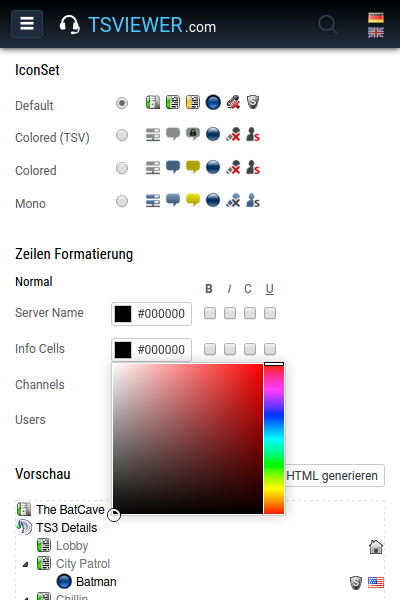
There are many options available which allows you to change the look and feel from it to adapt it perfectly to your own page as an page extension without big html or php knowledge.

Just chooose from the colors, font options, display and graphics details, afterwards generate the code and get it into your site. Easy goin. However, if you are not so good with PHP, HTML and all the other stuff then there are some tutorials for a few frequently used content management systems. All of this is accessible from code generator.
TOUR   The User History and the graphs
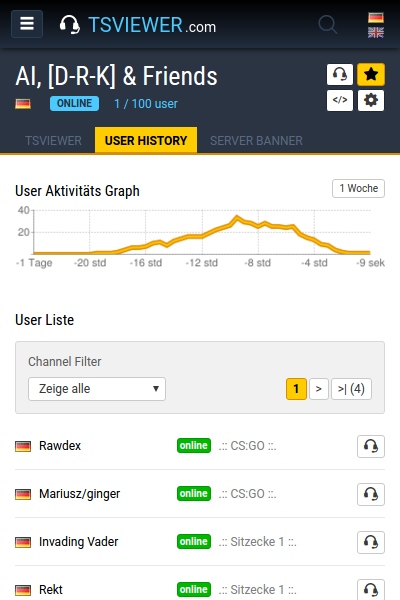
The User History shows who was in the last seven days on an TeamSpeak server with indication of Nickname, Logintime, Idletime, Channel and time of occurrence. On top of this there is a server activity graph available that displays the server usage of the last 24 hours.

These data come from the global server scan which starts every 5-10 minutes.
TOUR   Server Banners
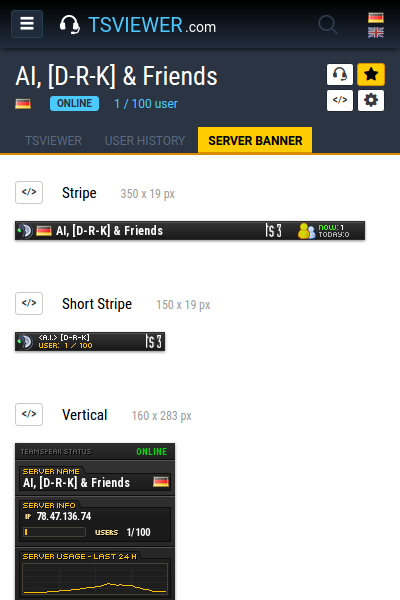
The Server Banners are database-supported dynamically live generated pictures. Just because it are pictures you can integrate them almost everywhere. Ideal as forum signature, page extension, alternative TSViewer or everything else.

There are many different Server Banner designs and sizes placed to your disposal. On the right you see a few examples.
TOUR   TCP Query Port Finder
Haven't a clue what your servers Query port is? No problem! Therefore Query Port Finder has been programmed.

It enables you to get the TeamSpeak servers Query Port as long as you have access to the servers webinterface and WebPost is enabled. You dont need any longer to contact the servers provider.
TOUR   Your personal Server Favorites
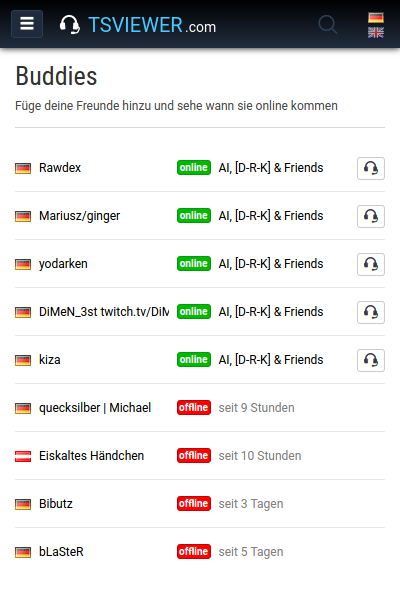
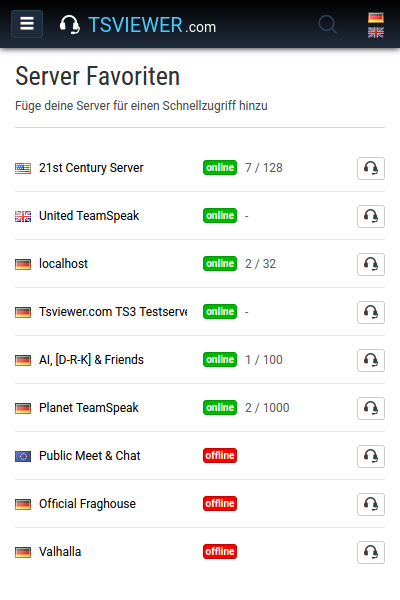
There are many of your favorite servers registered here on the TSViewer.com but you are sick of to navigate through the lists all the time to find them? Then add the server to your favorites.

Your favorite servers will then be displayed left in the navigation. So they all will be easy to reach and you have an instant overview of their status. Nice tooltips give you more information when you drive over them.
TOUR   Server Registration
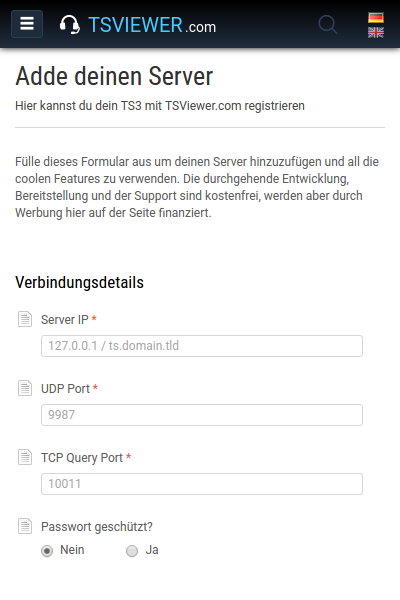
In order to use all these features the server must be registered through the registration form. All this is, of course, free, and do not need personal information except for the email address, thats required to have somehow an opportunity to get contact. Once the server is registered you have to wait a little until the registration is verified and activated after what an e-mail is sent with all the important information and links to all mentioned features so far.

I have to do it manually by hand and I am obviously not the whole day at the computer. Sometimes it takes minutes, but sometimes a couple of hours. Therefore simply wait and drink some tea. I do prefer Earl Grey.


Latest news
 
TitleDate
 
     Release: User TeamSpeak Status Ban... 31.03.2008
     On a visit at GIGA eSports 26.01.2008
     GIGA Homepage Award 2007 Finale 30.12.2007
     Latest changes and additions 17.12.2007
     Server Banners goes Vertical 06.11.2007
 
 
Latest server entries
 
Game & Name GMT +01:00
 
    Multigaming  tiefe|rein|muss Fri, 23:31:44
    Multigaming  Soldiers From Hell Fri, 23:18:31
    Counter-Strike - CZ  eSports.crhyme Fri, 23:08:35
    Counter-Strike - Source  ¦ »scopie« ¦ TS2 Fri, 22:56:52
    Battlefield 2142  Tactical Assault Unit Fri, 22:45:10
 
 
Latest news
 
Release: User TeamSpeak Status Banners by ginger|HFD 70 Comments 31.03.2008
 
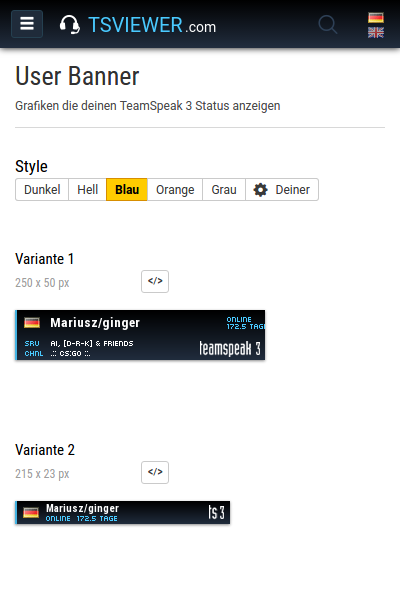
TSViewer.com presents after lasting several weeks hard work a new feature; the User TeamSpeak Status Banners.

Dreadful name, there passes no doubt, nevertheless, the possibilities are interesting. Roughly said they do display on which TS server you are currently online with information of server name, channel name, login- and idletime. Should you have gone offline, then this is being displayed in the banner with information of the last server and time of the last contact.


User found and online (left), User found but offline (right)


In addition, i have programmed for the banners a special feature which should be put as link target for them. So if somebody clicks on the banner, you get localised once more and the visitor is being rerouted to the correct TeamSpeak server monitor on TSViewer.com where he can see you live with all other server data. If you have gone offline it does route to the User History of the last TS server you were on. Without this special localisation you would have to link the banner with a static link, for example, with a certain server. But if you hang around on several servers this static link would be more or less useless. Example.


After the redirect there is a box above the TeamSpeak monitor or the User History that explains everything once more (e.g., user is offline, last seen on server xyz at this and this date and time, etc.). This is because otherwise the visitor could wonder about "Where am I, what is this here, where do I find the person i search for?" (Example on the right).

The users banner can be generated of course quite simply without any registration. Enter the exact name and go for it. Capitalisation and use of small letters must be considered, it is case-sensitive. Ginger is not equal to ginger, ginGer, gIngeR, GingeR, etc., etc. So take care when writing the name into the field. If this name is used now on all servers and these servers are also registered the banner will always display your current location with all data. The before appealed linking of the banner localises and reroutes the visitor immediately to the correct server. This happens so fast, you will not even notice it.


If you are using a name that is probably used by many people at the same time on several servers, as for example "Peter", you need to modify either this name (make it unique, e.g., by capitalisation and use of small letters and/or special characters) or you need to enable the limitation i have programmed specially for this problem. This limitation causes that the system do search only on a certain TS server, e.g., only on server registration 22068 (Planet-TeamSpeak.com server). Unfortunately, with this limitation you will deactivate at the same time a big feature of the banner (localisation), but if you are always only on the same server then this does not play any role longer.


If I would query an TeamSpeak server by every call of a banner live, my servers and the servers of the Hosters would have a lot new work to do and it would need much more traffic. It is not possible at the moment for me to rent new root servers or to pay for more traffic. So the information used in the banners comes all from the database. The database is fed by the global scan; he runs around-the-clock and needs about 5-10 minutes to scan all registered servers. The banners are cached (interstored) for 3 minutes, that means in the worst case the informations displayed in the banner are approx. 13 minutes old.

If you are outside of the timezone GMT +1 you should specify at your server registration in which timezone it does operate, its a new value you can setup. If you dont and the User Banners are displaying somone who is not online at the moment then they calculate the date with GMT +1. So, set it up correctly. Furthermore this new value is for displaying correct time informations when there is someone looking at your server that has no timezone has set for itself (for example, because he is new on the site and still do not know all functions).

At the moment there is only one variation available; only one layout and a certain size. This is the first version without any other configuration possibilities. Should the User Banners get used by many people I will invest again time and build other layouts and sizes. For the more distant future I have planned to make the User Banners and the Servers Banners very very configureable. For example, to change all colours or to use own images. However, before that there are many other interesting things still on queue for TSViewer.com.


Puuuh I had to tell again a lot, many thanks already to everybody which have given to themselves the trouble to read up to the end. I hope that everybody will use the banners actively, for example, as forums signatures or member status banners on homepages.

I would be glad about ideas and criticism. Are the banners too small? Too largely? Unsightly forms? An idiotic idea? Waste of time? A case for the wastepaper basket? Please leave your opinion in the comments.

With kind regards
Mariusz "ginger|HFD" Bieniek
 
 
Browser Addon
 
TSViewer Firefox Search Plugin by ginger|HFD 9 Comments
 
Brand new and since evenly available you get the TSViewer Firefox Searchplugin. With it you are able to search fast and simply for people in the TSViewer database out of your Firefox Browser.

Nothing further will be installed on your system. Its simply only a searchplugin for the Firefox Browser, just as the Google search plugin for Firefox.

Install the TSViewer Firefox searchplugin
Searchplugin Preview:


Already know?


Useful Links


My Partners


STATS


counter


Render time (server):
0.04 seconds

SQL Queries avg:
199.148 per second
 
 
Donate
 
 
If you want to honor the work
of TSViewer.com feel free to donate. Thank you.


Thank you for using TSViewer.com - the TeamSpeak Viewer. Please support this eSports project by linking back on your homepage with an banner, text link, news or something similar.